Founding offer Every Pro feature from $39 a year, for the first 100 customers

Online booking your clients will love.

A beautiful, mobile-first booking form for salons, tutors and coaches. Take deposits, stop no-shows with WhatsApp reminders, and keep every calendar in sync — set up in 10 minutes.

Free forever planNo card for the trialUnlimited staff & services
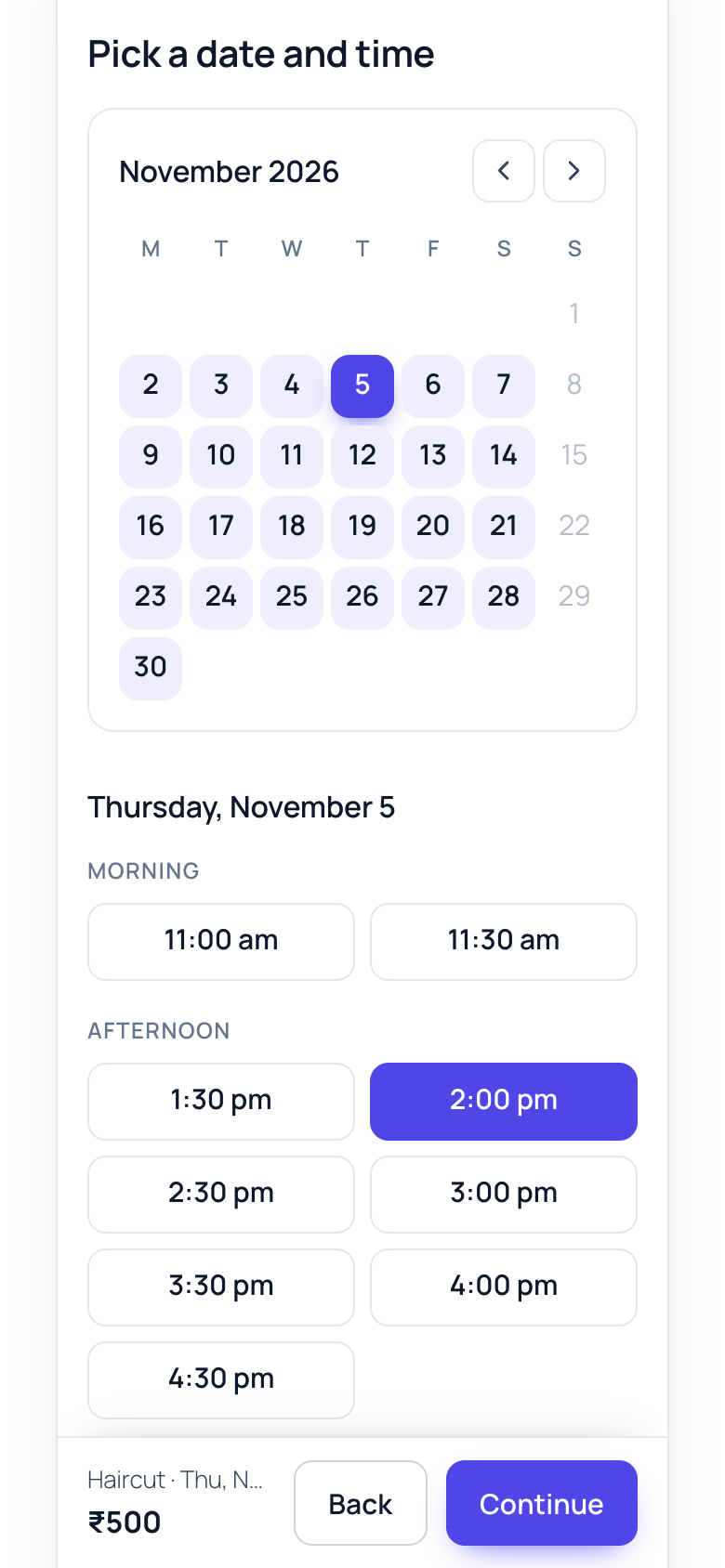
Roohsites Appointment Booking form showing a calendar and available times The booking form on a phone
✓
New booking · HaircutRiya · Thu 12:30 pm · ₹500 paid
Works with any theme Razorpay (UPI) · Stripe · PayPal No double bookings No tracking, your data stays yours
How it works

Taking bookings in three steps

No coding, no monthly SaaS fees, no sending clients to another website.

Add your services

Name, duration, price and buffer time — Haircut, 45 min, ₹500.

Add your team

Each person's hours, days off and the services they offer. Photos optional.

Publish the form

Add the Booking form block (or [rsab_booking]) to any page. Clients book themselves, 24/7.

Free forever

A booking form that feels premium

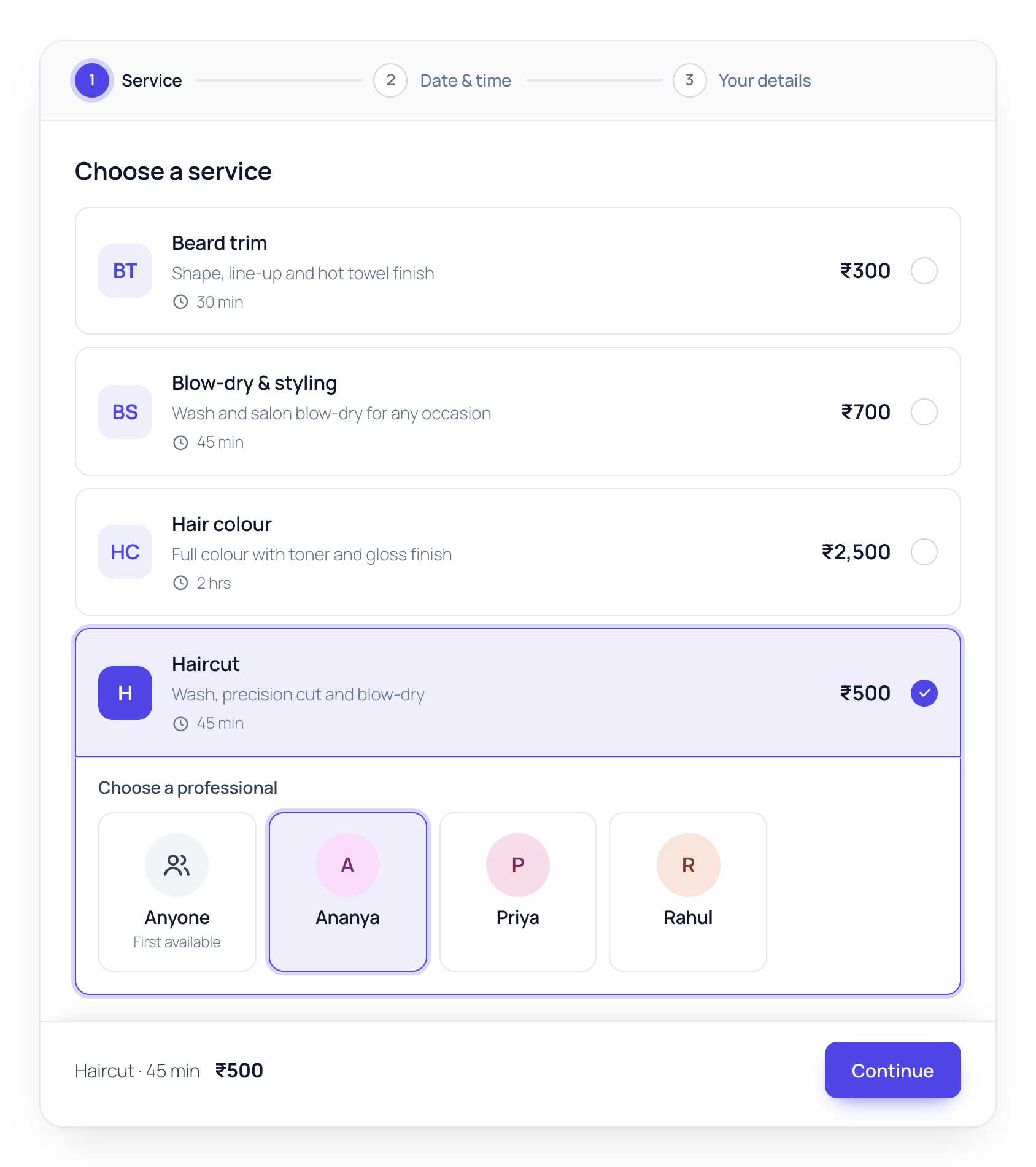
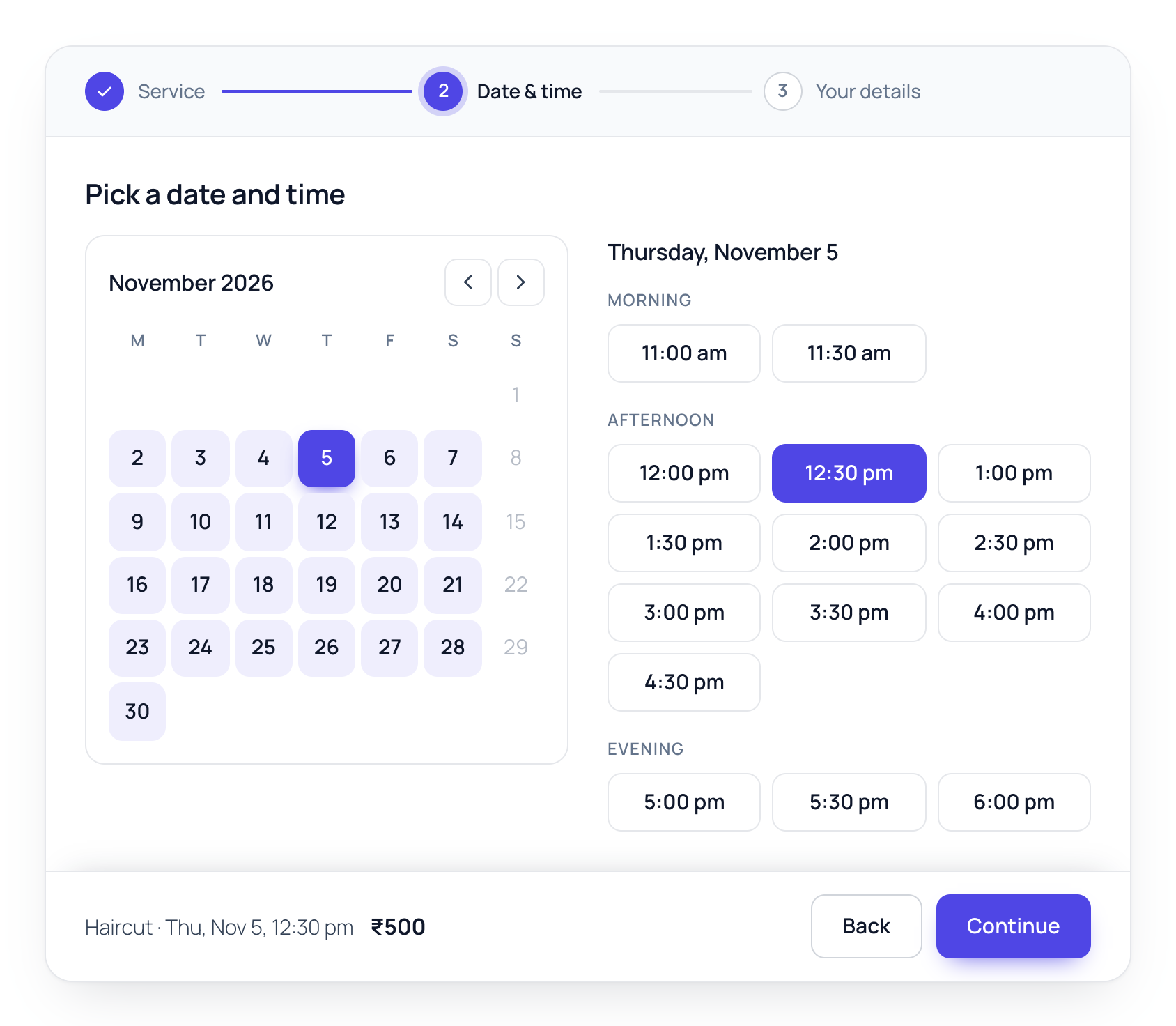
Clients pick a service and professional, then a date and time — on a real calendar that only shows days with free slots.

  • Unlimited services and staff — no caps, even on the free plan
  • “Anyone available” books the first free professional
  • Times grouped into morning, afternoon and evening
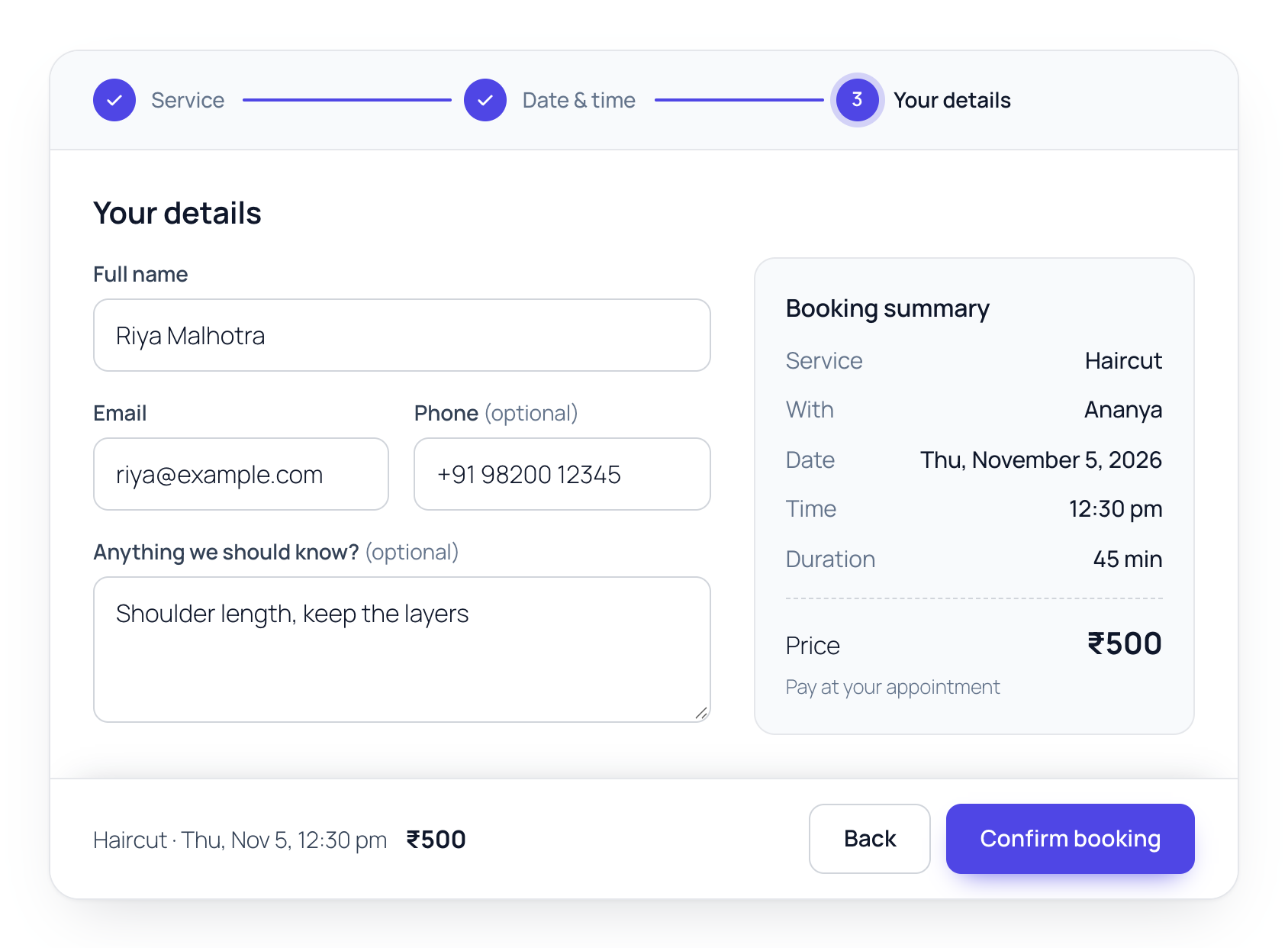
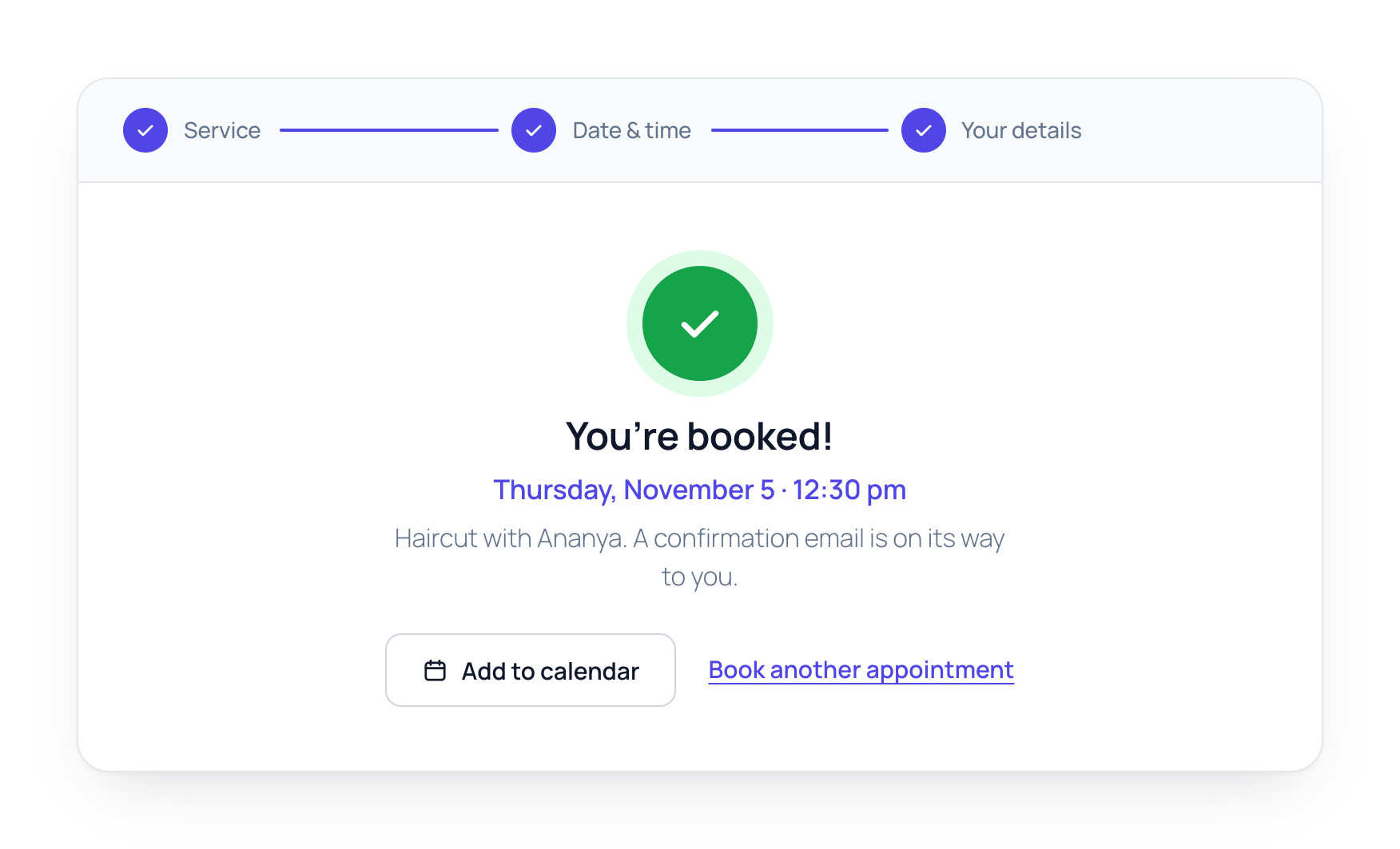
  • Booking summary and “Add to calendar” on confirmation
  • Your brand colour, your theme's fonts
Choosing a service and a professional
Run your day

Every booking in one clear place

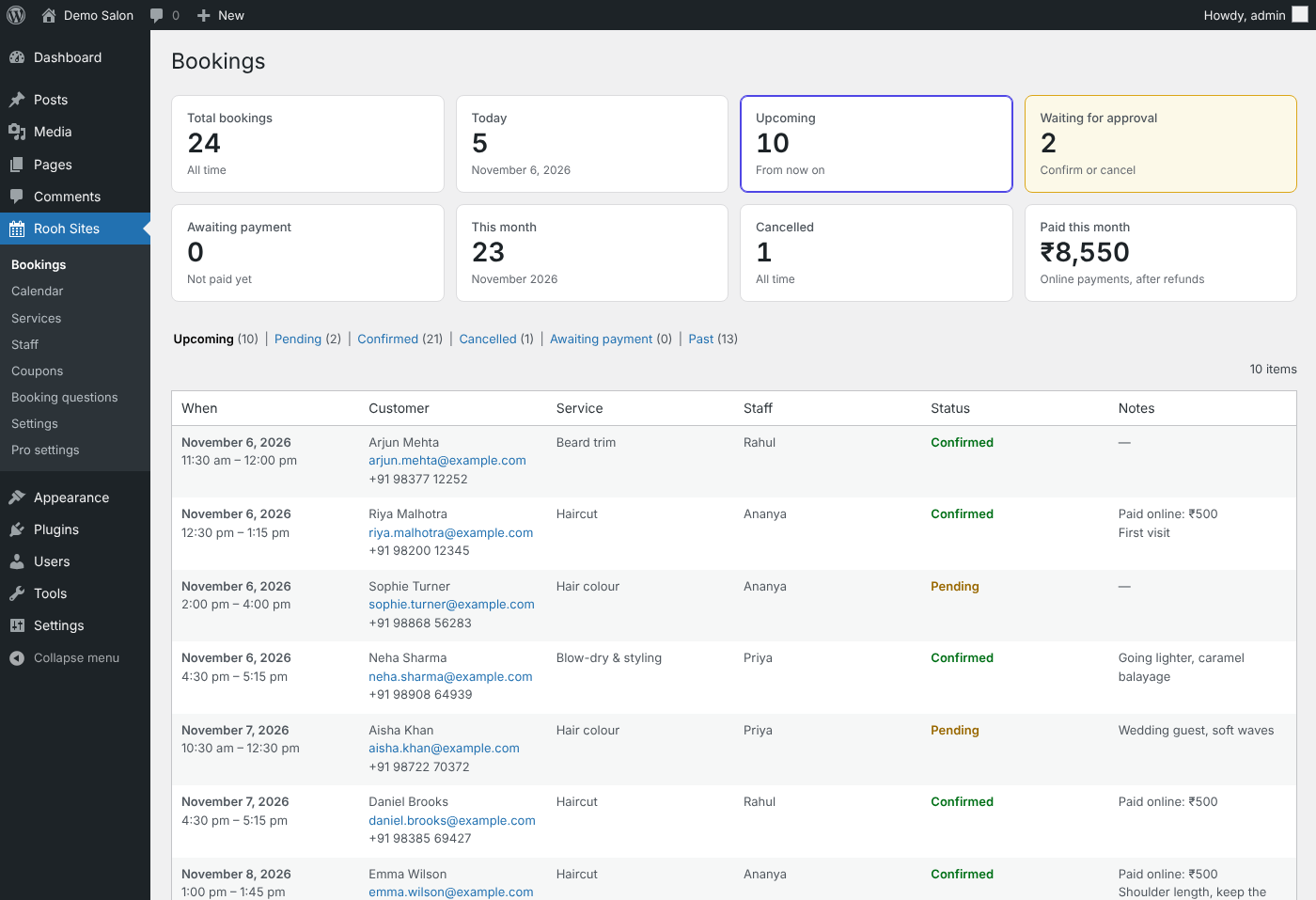
Summary cards for today, upcoming, waiting for approval and this month's payments, then every booking below. Confirm or cancel in one click — the client gets an email automatically.

  • Approve bookings yourself, or auto-confirm
  • Emails to the client, the staff member and you
  • Clients cancel from a secure link — no phone tag
  • Minimum notice and booking window rules
Roohsites Appointment Booking Bookings screen in WordPress with summary cards for total, today, upcoming, waiting for approval, awaiting payment, this month, cancelled and paid this month, above the bookings list
Roohsites Appointment Booking Pro

Get paid. Stop no-shows. Stay in sync.

Everything in Free, plus the tools that turn bookings into revenue. All Pro features are included in every plan — no add-ons to buy.

Online payments & deposits

Razorpay (UPI, cards, netbanking), Stripe and PayPal. Charge in full or take a deposit. Unpaid slots release automatically.

WhatsApp, SMS & email reminders

Automatic reminders 24 hours and 2 hours before — the simplest way to cut no-shows.

Two-way Google Calendar

Bookings appear in each person's Google Calendar, and their personal events block those times.

Drag-and-drop calendar

Day and week views by staff member. Drag to reschedule, click an empty slot to add a walk-in.

Clients reschedule themselves

A “My bookings” page and a link in every email. No account needed — fewer calls for you.

Extras, coupons & questions

Upsell add-ons (“+ head massage ₹200”), run discount codes, and ask your own intake questions.

Breaks & special hours

Lunch breaks, holidays and one-off opening hours per staff member.

Branded emails

Your logo and colour on every email. Edit every subject and message with simple placeholders.

Updates & support

New features and security updates delivered automatically inside WordPress.

See it in action

Designed to convert on every screen

Founding members · first 100 customers only

Every Pro feature, at the founding price

Only 100 founding seats, and once they are taken the offer closes. You get every Pro feature, including everything we build next, and you keep the founding price for as long as your subscription stays active.

For your own business

Founding Solo

1 website
$39 /year
Regular price: Pro, $79 a year
For freelancers and agencies

Founding Studio

3 websites, about $20 per client site
$59 /year
Regular price: Business, $149 a year for 5 sites
  • Online payments and deposits
  • WhatsApp, SMS and email reminders
  • Two-way Google Calendar sync
  • Admin calendar and summary cards
  • Rescheduling, extras, coupons
  • Every new feature, every 15 days

One founding licence per customer · 14-day money-back guarantee · Closes when the 100 seats are taken · What founding members get

Pricing

Simple yearly pricing. Same price every year.

Every paid plan includes all Pro features. Try any plan free for 14 days — no card required.

Free

Any number of sites
$0
Forever
  • Unlimited services & staff
  • 3-step mobile booking form
  • Approval or auto-confirm
  • Email notifications
  • Client cancel link
Download free

Business

Up to 5 websites
$149 /year
For multi-location businesses
  • Everything in Pro
  • Use on 5 sites
  • Priority support

Agency

Unlimited websites
$299 /year
For agencies & freelancers
  • Everything in Pro
  • Unlimited client sites
  • Priority support

Prices in USD. Secure checkout by Freemius · Cards & PayPal · Cancel anytime from your account.

Compare

Roohsites Appointment Booking vs Bookly, Amelia and LatePoint

The free version is where WordPress booking plugins differ most. Roohsites Appointment Booking is the only one of the four with unlimited staff for free.

Roohsites Appointment BookingBooklyAmeliaLatePoint
Staff on the free versionUnlimitedLimitedLimitedOne
Online payments on the free versionIn ProIn ProSquare onlyStripe, PayPal, Razorpay
Razorpay (UPI)ProNot listedPaid plansYes
Google Calendar syncPro (two-way)Bookly ProPaid plansPro
1 website, per year$79From $99Several plans$99
Renewal priceSame every yearYearly, or lifetime onceRegular price after a first-year offerRegular price

Checked October 31, 2026 from each plugin's WordPress.org and pricing pages; regular prices in US dollars.

FAQ

Questions, answered

How do I install the free version?

Download the free plugin zip from this page. In WordPress, go to Plugins → Add New → Upload Plugin, choose the zip, then Install and Activate. The setup wizard opens and walks you through your services, staff and booking page. Roohsites Appointment Booking is in the WordPress.org review queue; once it is listed there, updates arrive in your dashboard as usual.

Do I need to know how to code?

No. Install the plugin, add your services and staff from the WordPress dashboard, and add the Booking form block to a page. Most businesses are live in about 10 minutes.

Does it work with my theme and page builder?

Yes. The booking form is self-contained, so it looks great with any theme, and works in the block editor (as a block), Elementor, Divi and other builders (via the shortcode).

How does the free trial work?

Install Roohsites Appointment Booking Pro and start a 14-day trial — no card required. If you don't upgrade, Pro features switch off and the free booking form keeps working.

Which payment methods can my clients use?

With Razorpay: UPI, cards, netbanking and wallets (India). With Stripe: cards, Apple Pay and Google Pay. Or PayPal. Money goes straight to your own account — Roohsites Appointment Booking never touches it.

How do WhatsApp reminders work?

Roohsites Appointment Booking Pro connects to Meta's official WhatsApp Cloud API and sends an approved message template to your client before their appointment. SMS reminders use Twilio. Messaging fees are charged by those providers.

What happens when my license expires?

Your bookings keep working. You stop receiving updates and support until you renew — and renewals cost the same as your first year.

Can I get a refund?

Yes — if Roohsites Appointment Booking Pro isn't right for you, contact us within 14 days of purchase for a full refund. See our refund policy.

Start taking bookings today

Free forever for the essentials. Try every Pro feature free for 14 days.

Download free